Invite the other home
From Your flock, a grown-up sends a link. The other parent sees which home is asking before deciding, and accepts from their own household.
Two homes each keep their own flock, then link up. What crosses between them is chosen one event at a time, and documents, receipts and private notes never cross at all.
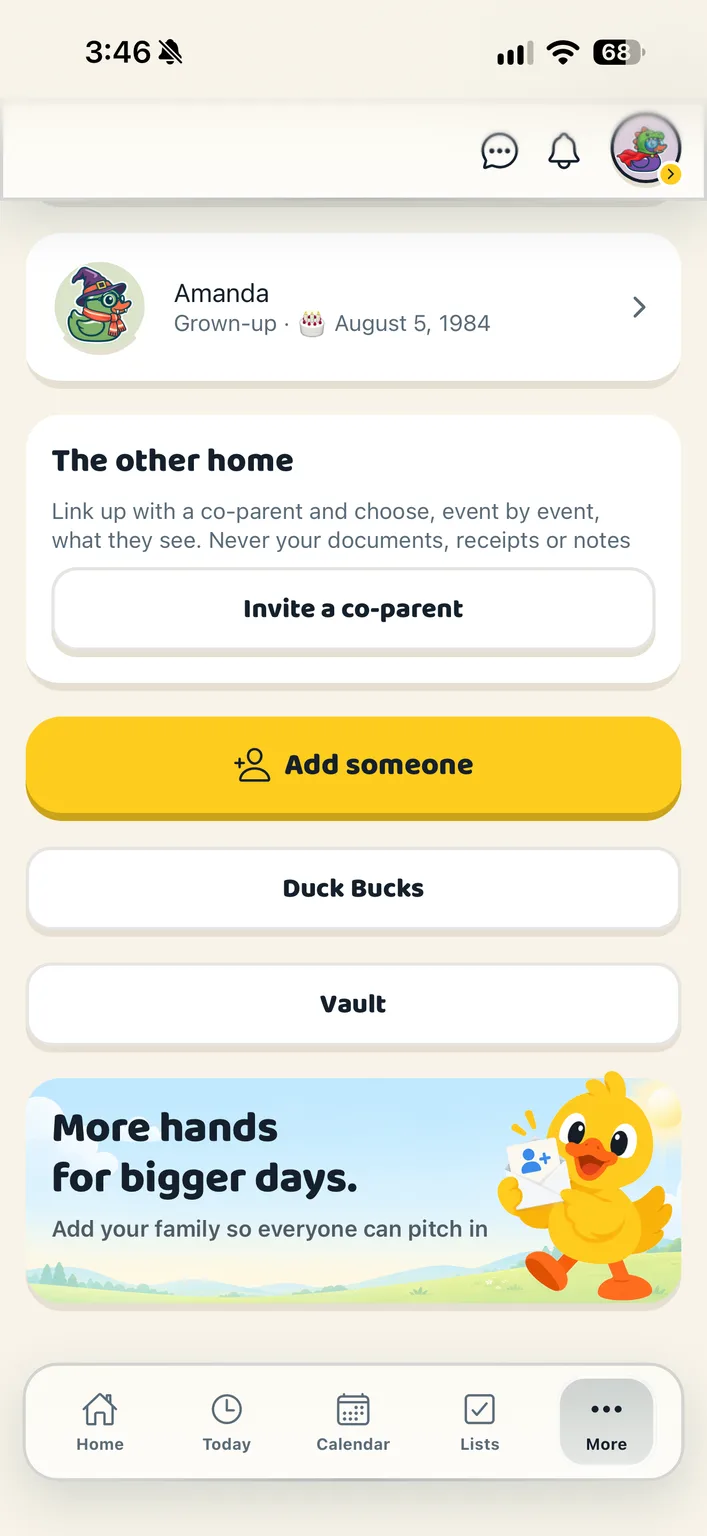
From Your flock, a grown-up sends a link. The other parent sees which home is asking before deciding, and accepts from their own household.
When you edit an event, a switch says “Share this one”. It is off until somebody turns it on. They see the title, time and place, and nothing else.
Either home can end the link. They stop seeing anything you shared, straight away. Nothing of theirs was ever yours to keep.
Sharing is opt-in per event. Nothing is shared until somebody says so.
Documents, receipts and the notes on them are never shared through a link. Neither are tasks, lists, Duck Bucks or members.
A shared event can be seen in the other home, not changed. The home that owns it owns what it says.
Each home is its own full flock, with its own grown-ups, children and family members.
The link carries the title, time and place of events you chose to share. That is the whole of it.
Two homes each keep their own household, then link them. Sharing is chosen one event at a time: an event you mark as shared appears in the other home’s calendar, and nothing else does. Tasks, lists and Duck Bucks stay home. Documents, receipts and private notes are never shared across a link. Either home’s grown-ups can pause or end the link at any time.
Grown-ups. Documents, receipts and member settings are for the adults in the household; a child or teen sees their own jobs, the calendar, the lists and the chat. An extended member such as a grandparent can be on the calendar without opening the family’s papers.
Create your household, add your people and choose your ducks. Everything for a fortnight, then one subscription covers your whole flock.