Scan the barcode
Point the camera at the barcode, or type the number under it, and the title, author, pages and cover are looked up. Or type it in yourself and photograph the cover.
A family bookshelf: what everyone is reading, what they have finished, how they rated it in ducks, and a reading log you can print for school.
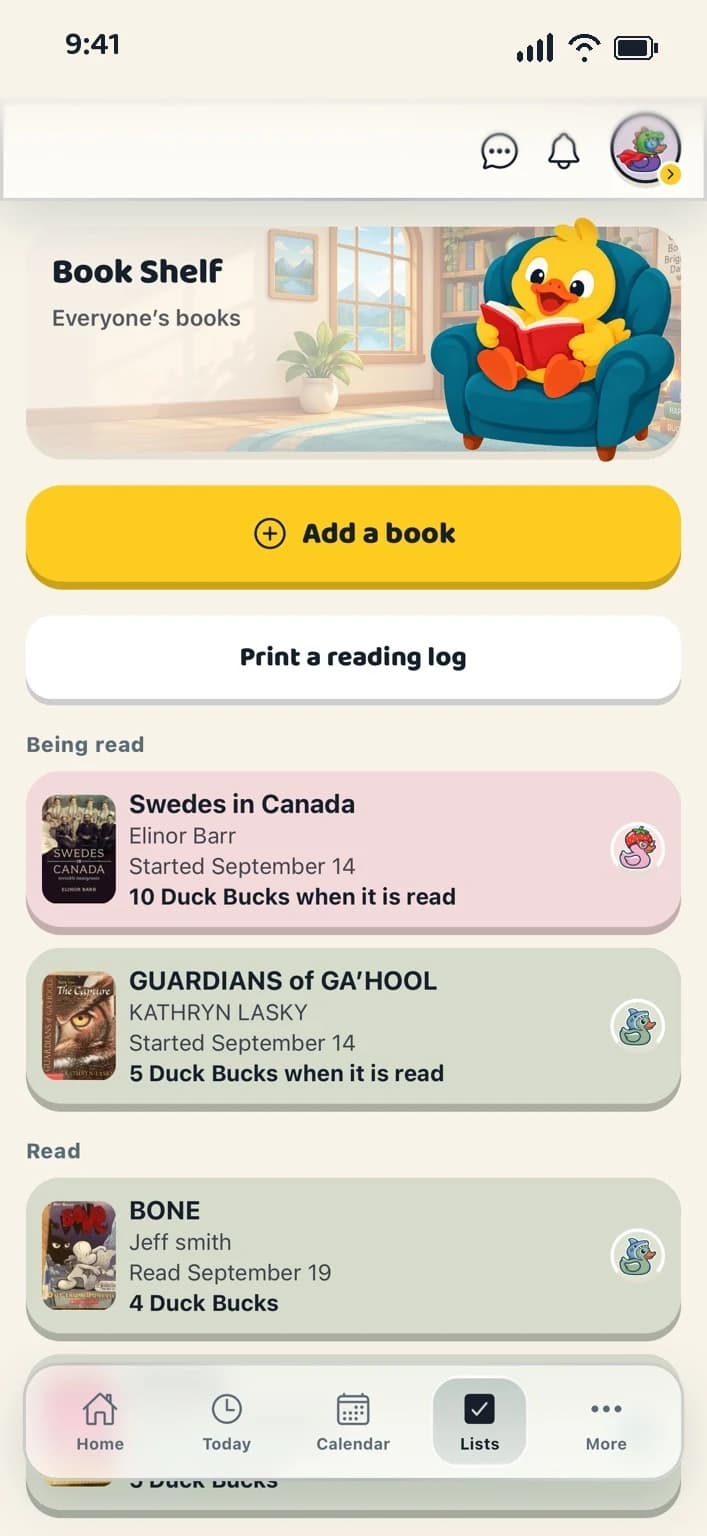
Point the camera at the barcode, or type the number under it, and the title, author, pages and cover are looked up. Or type it in yourself and photograph the cover.
The shelf shows being-read books first, because “what is on the go?” is the question the screen is opened with. Every row wears its reader’s duck.
“I’ve finished it” records the dates and how long it took, asks how it was out of five ducks, and pays any Duck Bucks a grown-up set for it.
The whole flock’s reading on one shelf, tinted by whose it is. Kids add books to their own shelf; a grown-up can add for anyone.
A grown-up can set what a book is worth. It lands when the book is finished, and comes back out if it goes back on the shelf.
Tap to rate a book out of five ducks. Each reader’s rating is their own.
From a browser, choose whose reading and which period, and print a letter-size log with titles, pages and dates. Phones say “Logs print from a browser” and leave it at that.
The shelf says who is reading what. Nothing on it compares one reader with another.
A grown-up can make a job worth one to ten Duck Bucks, and whoever finishes it collects them. They are spent in the duck builder on hats, glasses and the like; every colour is free. Duck Bucks are earned, never bought, and there is nothing to purchase anywhere a child can reach. If you like, a grown-up can turn on the Exchange and say what Duck Bucks are worth at home; the app keeps a note of what you agreed and never moves any money.
Yes. Open the web app on whichever you have to hand. The layout adapts to the screen, and your household keeps the same shared plans, lists and Vault on every one of them.
Create your household, add your people and choose your ducks. Everything for a fortnight, then one subscription covers your whole flock.