


Make a home for your flock
Create your account and set up your household. Big, small or somewhere in between.
The family organizer that makes room for real life. Shared plans, little jobs, favourite recipes and a whole flock of happy moments.
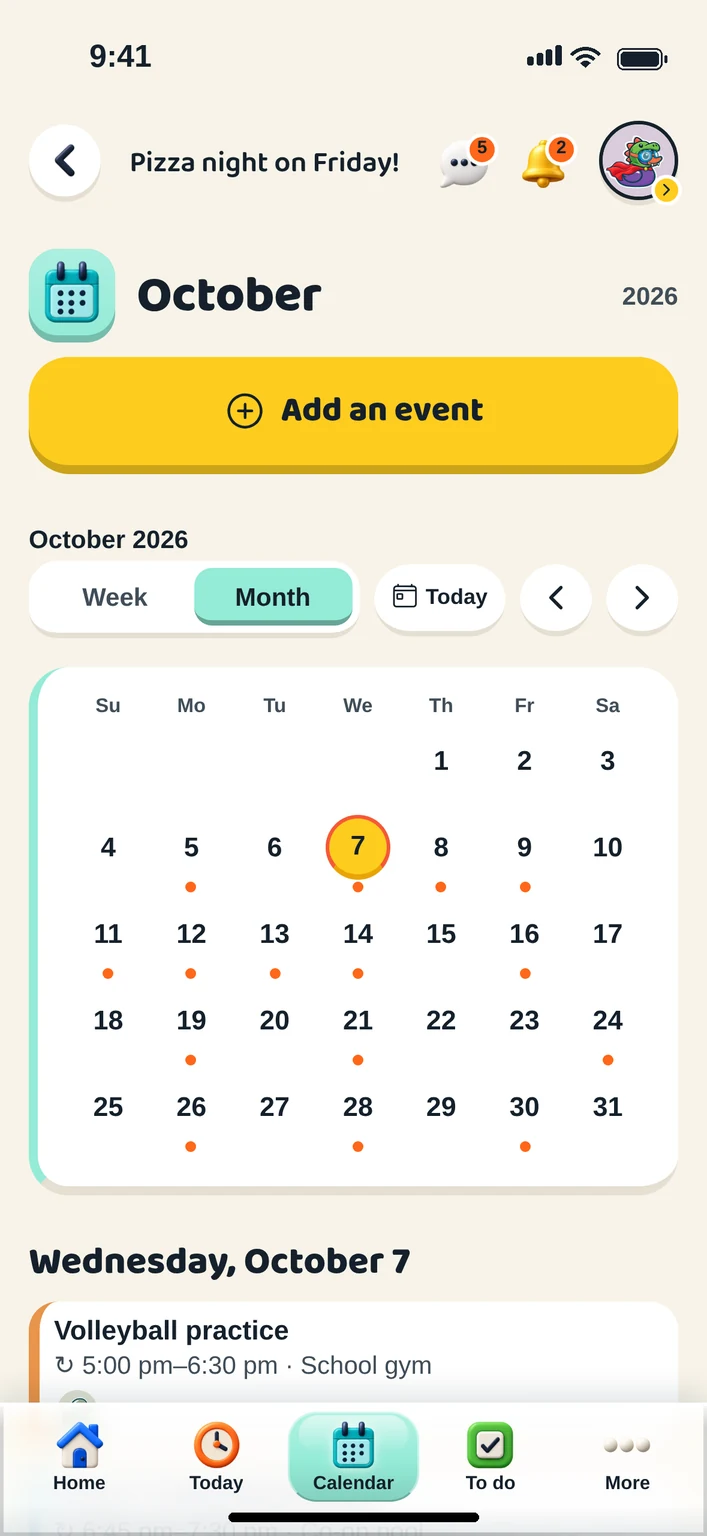
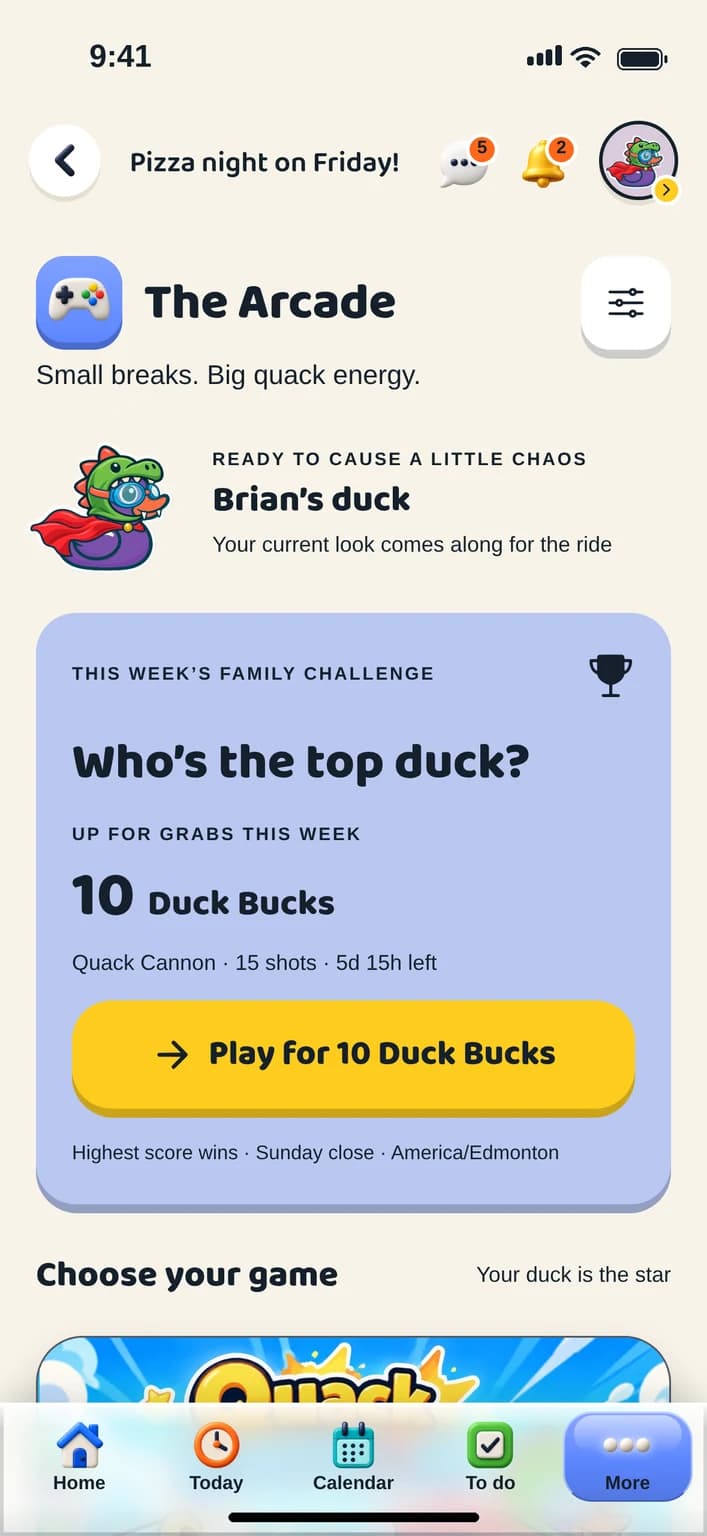
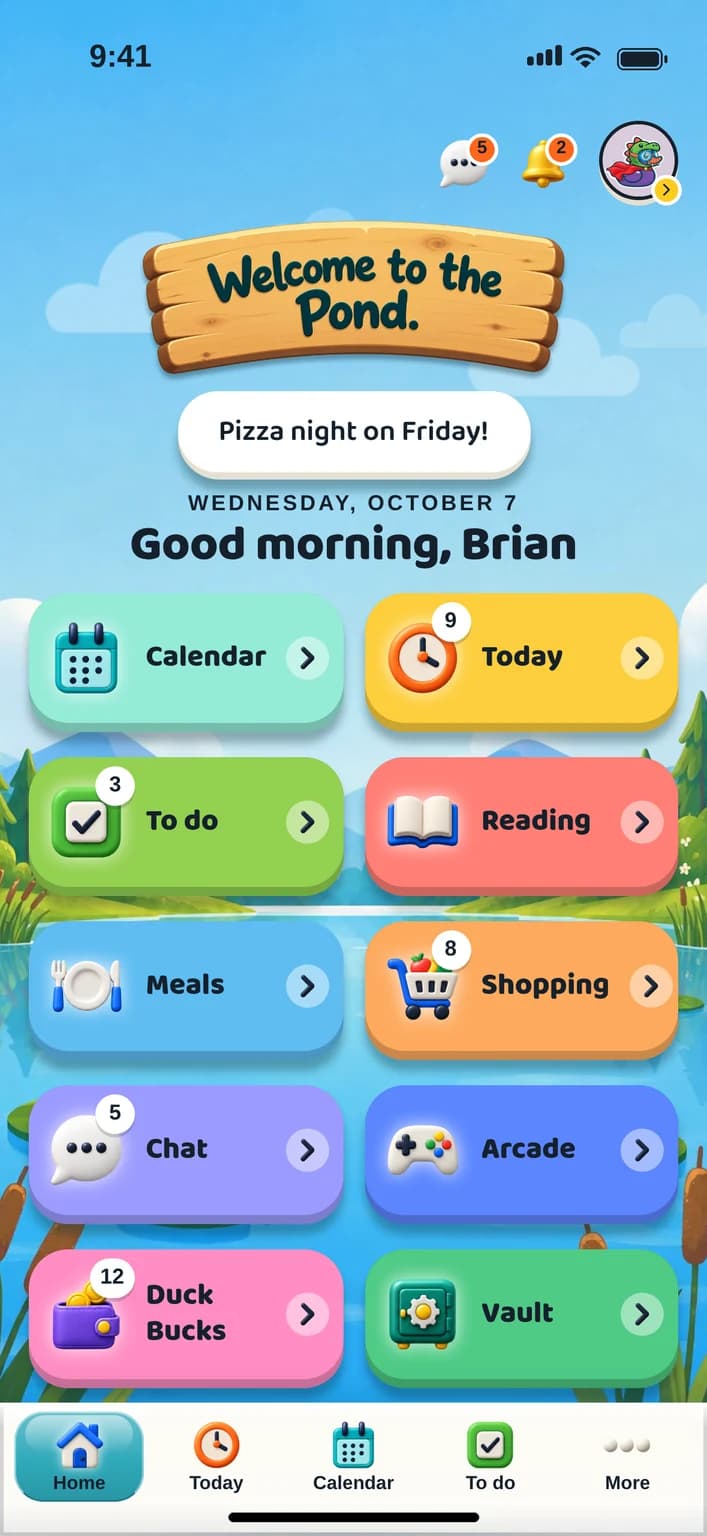
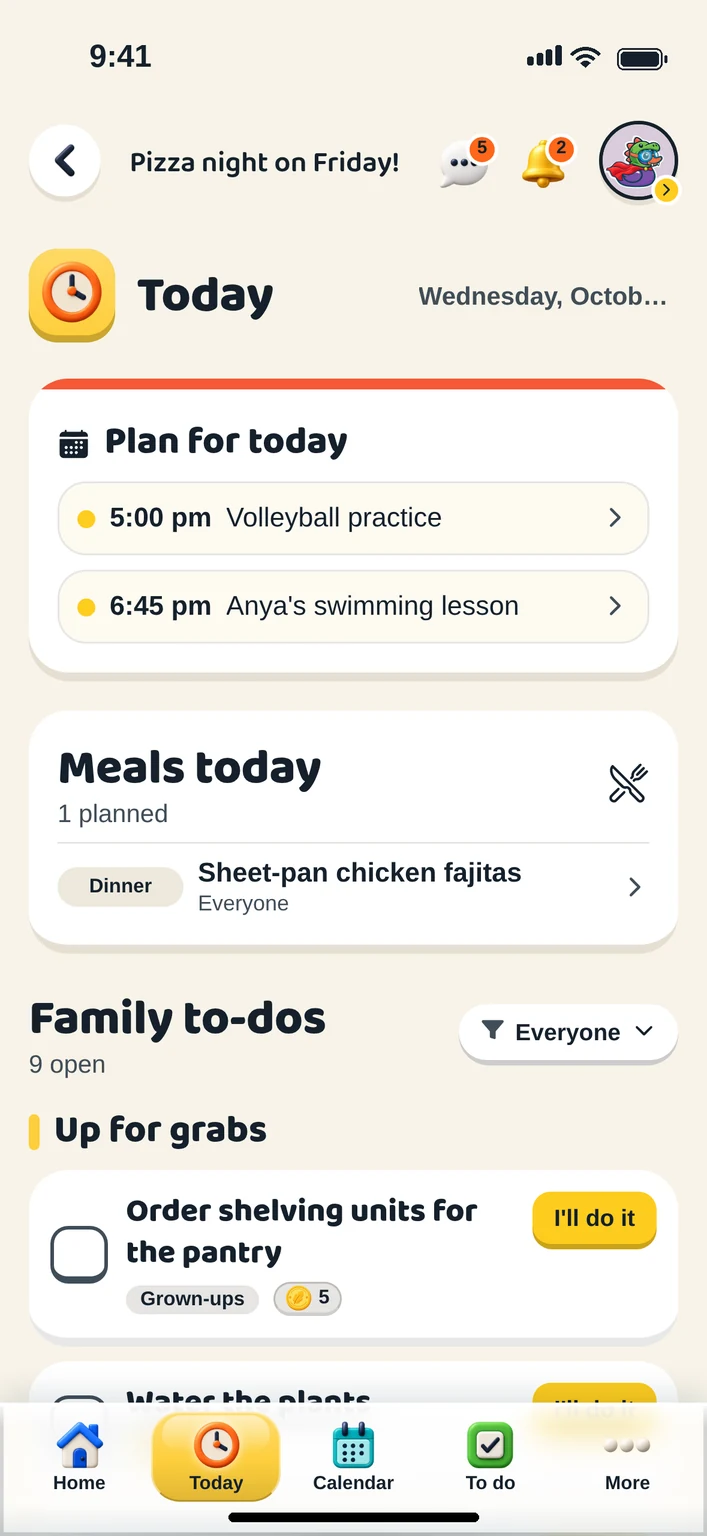
Take a peek inside. These are real app screens, with example family details.
The plans, the meals, the little jobs. Bring them together in one friendly daily view, so everyone knows what is happening and where they can help.
From the first school run to the last chapter. Tap a tile to explore.
There is more to family life than getting things done. Make your duck your own, take a turn in the arcade and start a little friendly flock rivalry.
Meet your flock’s playful side Quack Canon · Your duck is the star
A few little steps. A whole lot more together.
Create your account and set up your household. Big, small or somewhere in between.
Add your family, choose your ducks and give everyone a place in the day.
A shopping list. Tomorrow’s plans. That first little job. You do not have to do it all at once.
Try everything for 14 days. After that one grown-up subscribes and the entire flock is covered — the other grown-up, every child, a grandparent on the calendar. No ads, no pop-ups, no email spam, and nothing a child can be charged for.
Start with the essentials below, or open the help page: every answer, a knowledge base covering every part of the app, and a form where you can show us a screenshot of what went wrong.
Choose “Start your flock” to open the app. Create an account, set up your household and start with one small thing: the calendar, a task or the shopping list. Home explains what each area is for, so nobody has to guess.
Yes. Open the web app on whichever you have to hand. The layout adapts to the screen, and your household keeps the same shared plans, lists and Vault on every one of them.
Fourteen days free, with nothing held back, then $4.99 CAD a month or $45.99 CAD a year. That is one subscription for your whole household and every feature in the app: there is no higher tier and nothing kept back to sell you later. Cancel any time in a couple of taps.
No. One grown-up subscribes and the whole flock is covered: the other grown-up, every child, and an extended member like a grandparent on the calendar. There is no price per person and no seat to count, so adding somebody never changes what you pay.
No ads, no pop-ups trying to sell you something, and nothing a child can be charged for. Duck Bucks are earned by doing jobs, never bought, and there are no loot boxes, no randomised rewards and no paid advantages in the arcade. We email you about your account and nothing else.
A job without an owner is up for grabs, and anyone in the flock can choose “I’ll do it” to take it on. A grown-up can also put a job straight on someone’s list. The app never scolds: there is no “overdue” and no “you failed to”.
Set a chore to repeat, daily, weekly or on the days you choose, and it comes back on its own. A repeating chore is ticked off on the day it is for, in your household’s time zone. If a day is missed, that one quietly closes and the next takes its place, with no nagging.
Two homes each keep their own household, then link them. Sharing is chosen one event at a time: an event you mark as shared appears in the other home’s calendar, and nothing else does. Tasks, lists and Duck Bucks stay home. Documents, receipts and private notes are never shared across a link. Either home’s grown-ups can pause or end the link at any time.
No. A child gets a profile, their own duck and jobs to claim without a login or an email address. When they are older you can invite them to sign in, and their whole history of claimed chores comes with them.
Artwork, documents, receipts, photos and passwords. A photographed drawing is filed under the child who made it, on the day the photo was taken. A photographed page is straightened and cleaned up like a scan, and a receipt is read so every item on it is tracked. A password entry holds what it is for, the login address, the username and the password, and is searchable; a grown-up chooses which passwords the children can see, one at a time. Everything is encrypted on its way to us and while it sits with us, and saved passwords are encrypted again on top of that, with the key kept outside the database. The full picture is in the privacy policy at ducksinarow.app/privacy.
Grown-ups. Documents, receipts and member settings are for the adults in the household; a child or teen sees their own jobs, the calendar, the lists and the chat. An extended member such as a grandparent can be on the calendar without opening the family’s papers.
A grown-up can make a job worth one to ten Duck Bucks, and whoever finishes it collects them. They are spent in the duck builder on hats, glasses and the like; every colour is free. Duck Bucks are earned, never bought, and there is nothing to purchase anywhere a child can reach. If you like, a grown-up can turn on the Exchange and say what Duck Bucks are worth at home; the app keeps a note of what you agreed and never moves any money.
Your flock gets its own unique email address. Forward a school notice, an appointment reminder or a team schedule to it, and the dates and details are pulled out for a grown-up to approve and add to the family calendar. Anyone in the flock can forward to it; the address itself is what keeps it private.
In a Canadian region, with the database, sign-in and uploaded files hosted by Supabase. There are no advertisers and nothing is sold. You can delete your account from the menu and it happens straight away; a grown-up deletes a child’s. The privacy policy at ducksinarow.app/privacy says exactly what is collected and why, and hello@ducksinarow.app answers questions about it.
The help page has a knowledge base covering every part of the app, and a form where you can describe what happened and attach a screenshot. Or email hello@ducksinarow.app. Please do not include passwords or private family documents.
Questions, partnership ideas or something for the press? We would love to hear it.
Every way to reach us
